{"product":{"productId":"agid.36396","price":16.89,"name":"Cam screws with clamping lever"},"currency":"EUR"}


Material
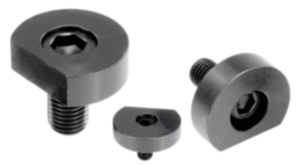
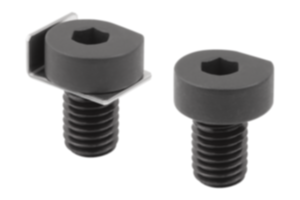
Cam screw QT steel.
Hexagon brass.
Clamping lever high-performance thermoplastic, fibreglass reinforced.
Hexagon brass.
Clamping lever high-performance thermoplastic, fibreglass reinforced.
Version
Cam screw black oxidised.
Clamping lever black grey RAL 7021.
Clamping lever black grey RAL 7021.
Show more
Show less
Description
Material
Cam screw QT steel.
Hexagon brass.
Clamping lever high-performance thermoplastic, fibreglass reinforced.
Hexagon brass.
Clamping lever high-performance thermoplastic, fibreglass reinforced.
Version
Cam screw black oxidised.
Clamping lever black grey RAL 7021.
Clamping lever black grey RAL 7021.
Note
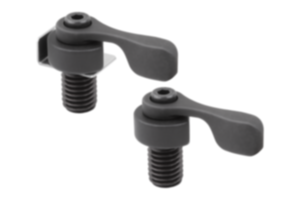
Cam screws with clamping levers can be used in a variety of ways for tool-free clamping. The the integrated clamping lever enables many elements to be rapidly clamped. The brass clamp nut offers a gentle yet extremely stable and secure clamping of workpieces. Even entire subplates can be equipped by using several cam screws with clamping lever.
Clockwise rotation is recommended for clamping. The marking on the cam screw should be on the right after clamping. (Screw in the cam screw as far as it will go, then turn it back one turn).
”S” = Distance from the workpiece to the screw centre (clamping screw).
Clockwise rotation is recommended for clamping. The marking on the cam screw should be on the right after clamping. (Screw in the cam screw as far as it will go, then turn it back one turn).
”S” = Distance from the workpiece to the screw centre (clamping screw).
Assembly
Clamping process:
1. Screw in the cam screw as far as it will go.
2. Screw the cam screw back one turn.
3. Position the workpiece.
4. Turn the cam screw clockwise to clamp the workpiece. (The marking on the cam screw should be on the right after clamping).
1. Screw in the cam screw as far as it will go.
2. Screw the cam screw back one turn.
3. Position the workpiece.
4. Turn the cam screw clockwise to clamp the workpiece. (The marking on the cam screw should be on the right after clamping).
Important note on downloading CAD models
In order to download our CAD models, you must log in first. If you have not created an account yet, please register under "My Account" (right side of the screen) and follow the instructions.
Other customers also bought